Why
I wanted an inbox that behaves less like a second job and more like a bench tool. Open it, move through the pile, make decisions, get out. Not a whole productivity system. Just enough mail client to make the repetitive part feel lighter.
Shape
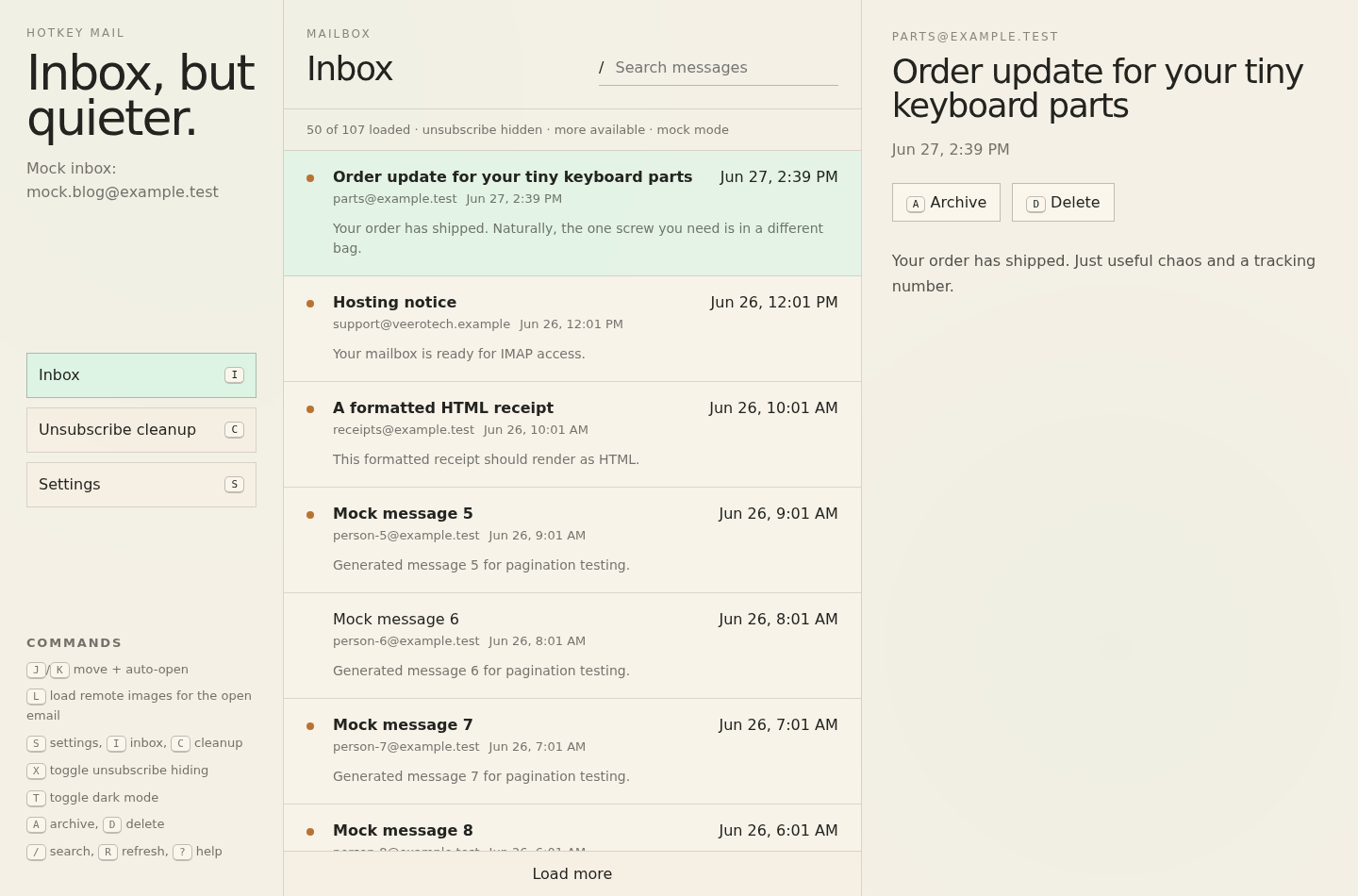
The working version is local-first and keyboard-first. The middle column is the queue, the right column is the current message, and j / k move through messages while opening each one automatically. Archive and delete feel instant in the interface, then sync in the background with a toast when the server catches up. If the sync fails, the app can restore the row instead of pretending the message vanished.
Flow
The inbox keeps loading more messages as the visible list is drained. That sounds boring until the alternative is deleting forty-eight messages and staring at an empty column with three hundred more still waiting somewhere else. The useful version of fast is not a clever shortcut. It is the list continuing to behave after the shortcut works.
Rules
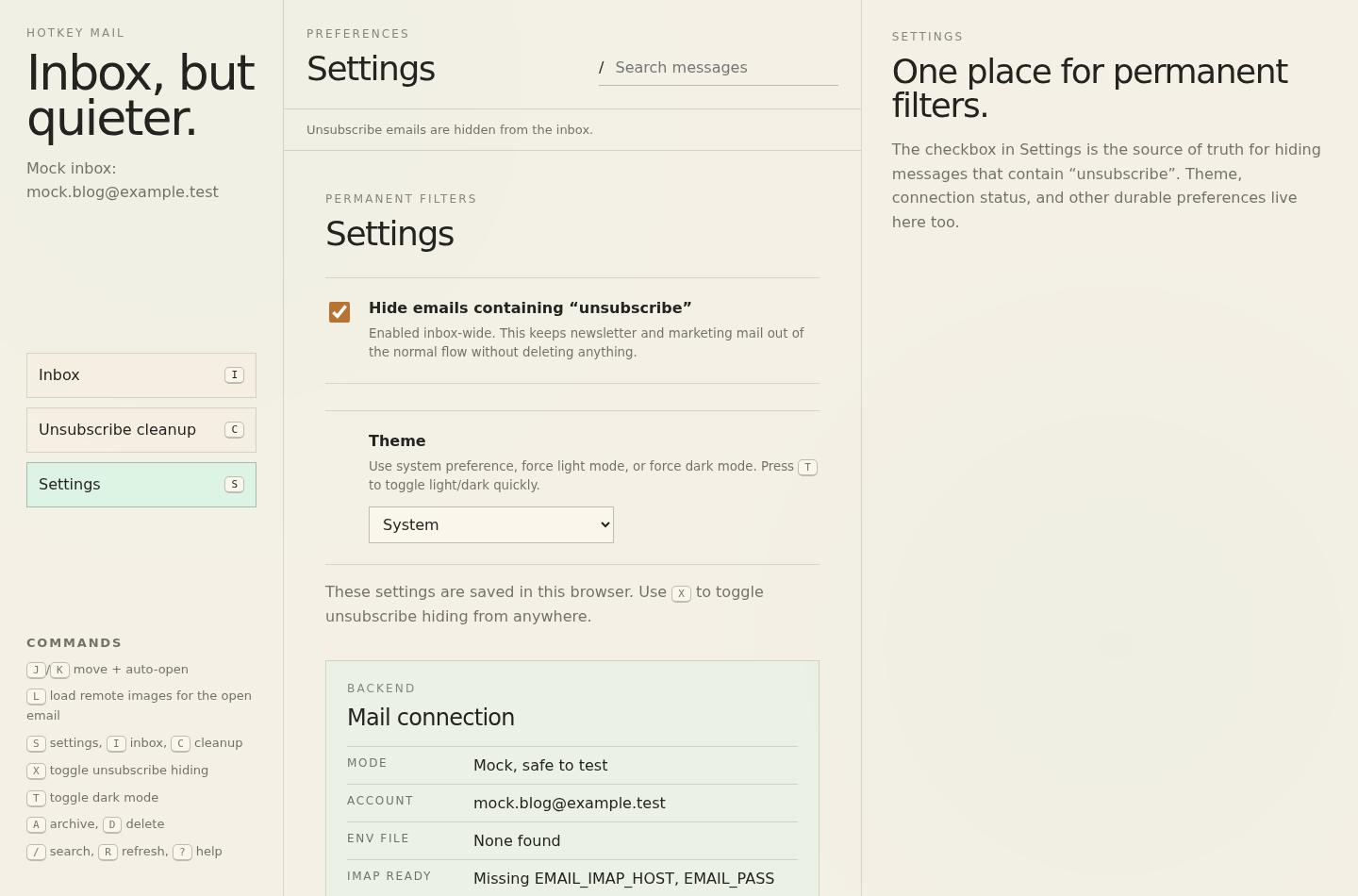
Unsubscribe-heavy mail is hidden from the normal flow, but the choice lives in Settings so it is obvious and reversible. Cleanup is not a mystery sweep. The safer version is a domain review that groups senders, shows counts and examples, starts with a dry-run, and only then lets a domain become an eager cleanup rule.
Images
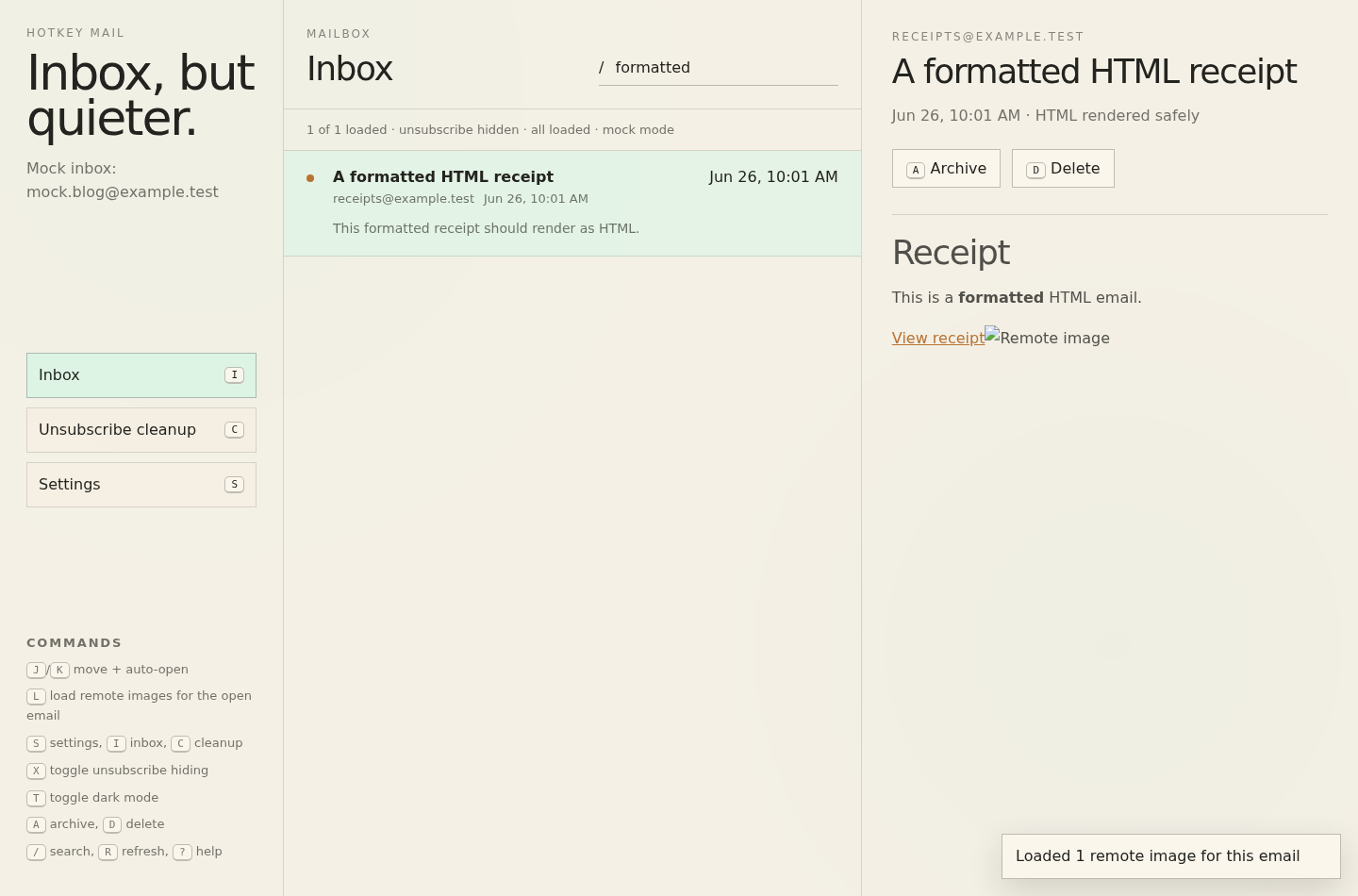
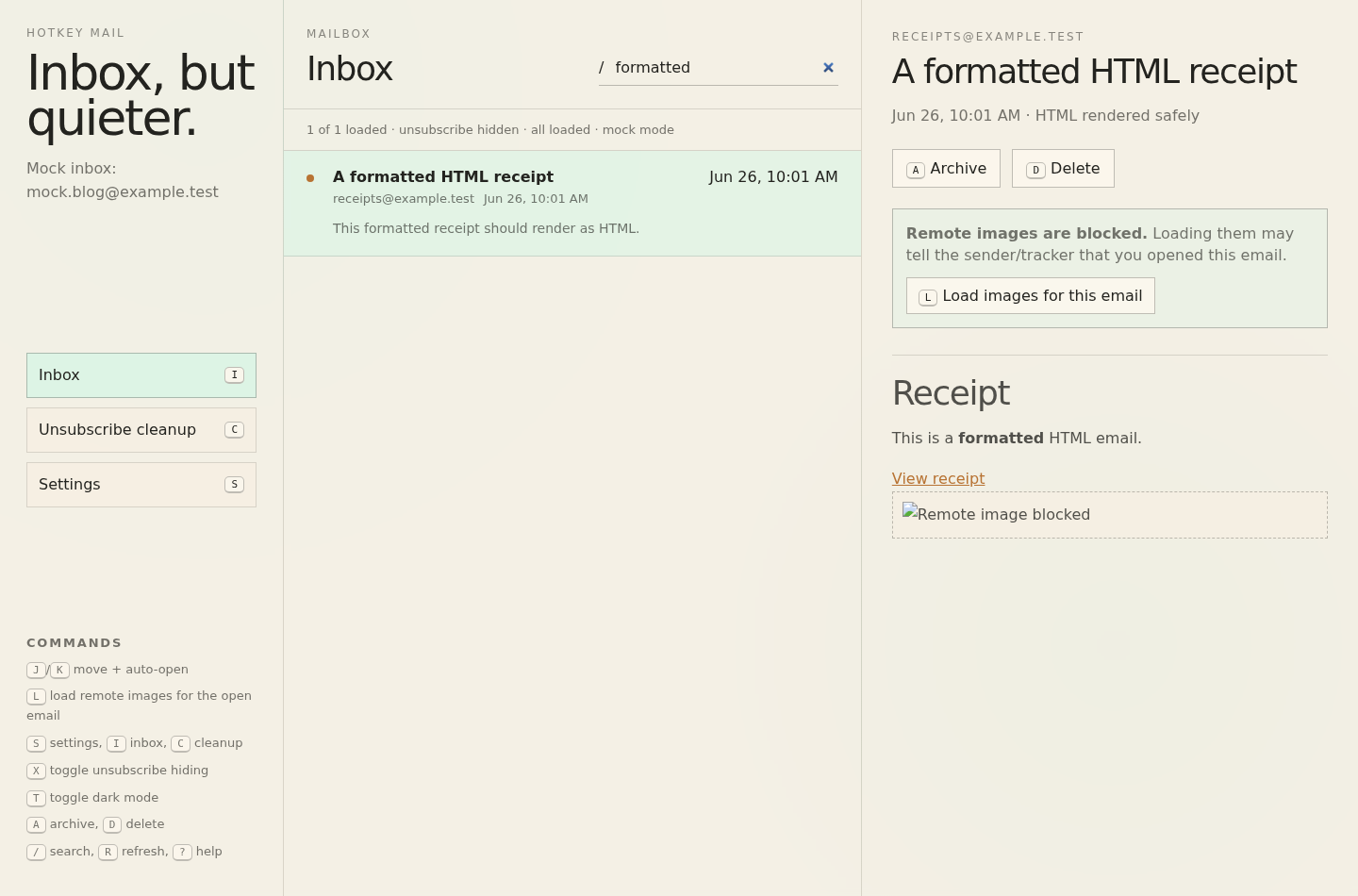
Remote images are blocked by default because email images are often read receipts in a trench coat. If an email actually needs images, l loads them for that message only. That keeps the normal path private and fast while still making receipts and formatted mail usable.
Little details
Older mail shows the year. A truly empty mailbox gets a friendly message instead of a sad blank pane. Search misses, filters, and zero-mail states all say different things because they are different situations. These are small details, but small details are most of the tool.
Screenshots
The screenshots here use mock messages, because real inboxes are where prototypes go to become embarrassing. Mock data also makes the edge cases repeatable: image blocking, old dates, empty states, and newsletter cleanup can be checked without turning private mail into public evidence.
Next
This is not trying to replace every mail client. It is a focused triage surface for the way I want to move through mail: fast, mostly from the keyboard, and with fewer places for newsletters to hide. The next useful question is not whether it has every feature. It is whether the pile feels smaller after five minutes.